Select which document should be printed by the print solution. Off: no printing Crystal: Print Open Qty, Max. Reserved, Remaining on SSCC RTF: Print Open Qty, Max. Reserved, Remaining on SSCC Script: Print Open Qty, Max. Reserved, Remaining on SSCC
NOTE: For using SSCC, Serial Number or Batch Number: Only WMS or BEAS managed warehouses are supported.
Properties supported by GS1-128 Bar code:
Property
Description
00
With WMS Integration: The SSCC identifer
Without: The RFID Number
This is a 18-digit numeric value.
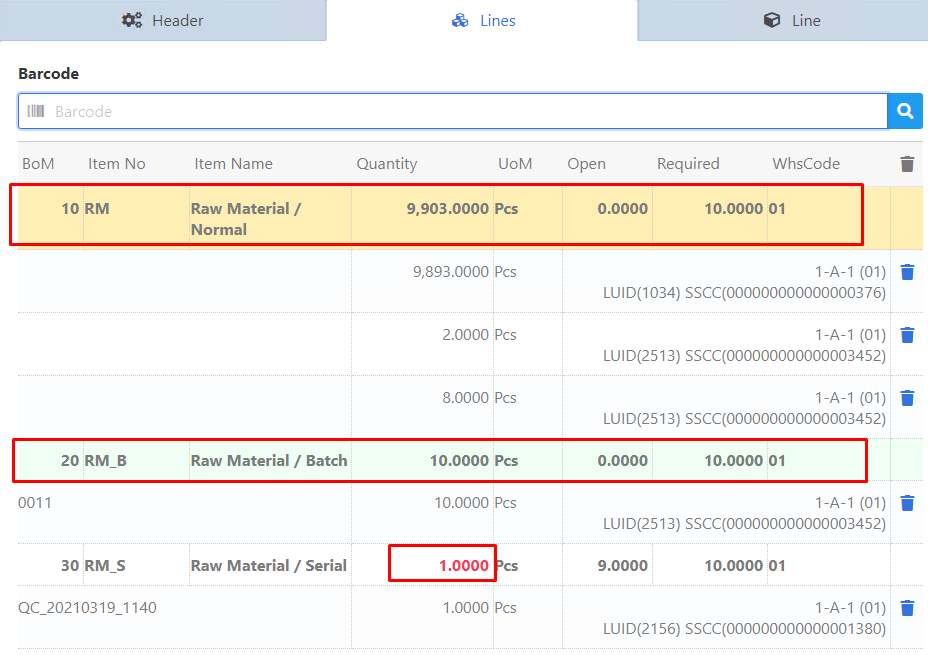
The system automatically loads all items with this SSCC ID and links this to the Bill of Materials positions.
Note: If SSCC and GS1 Bar code is defined, the behavior of the quantities is according to the parameters.
Note: Master SSCC is NOT supported!
Note: If WMS is installed, only WMS-managed warehouses are supported. If WMS is not installed, only Beas Bin-managed warehouse are supported.
Normal- or SAP managed warehouse cannot support SSCC.
01
The Item Bar code Number saved in item master data -> Barcode
10
The Batch Number or Serial number
30
Quantity
241
ItemCode (alternative to item Bar code)
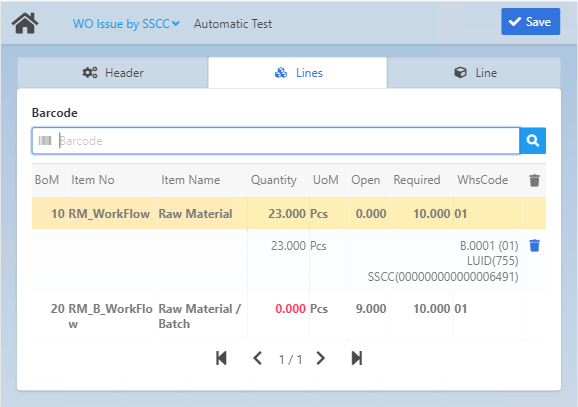
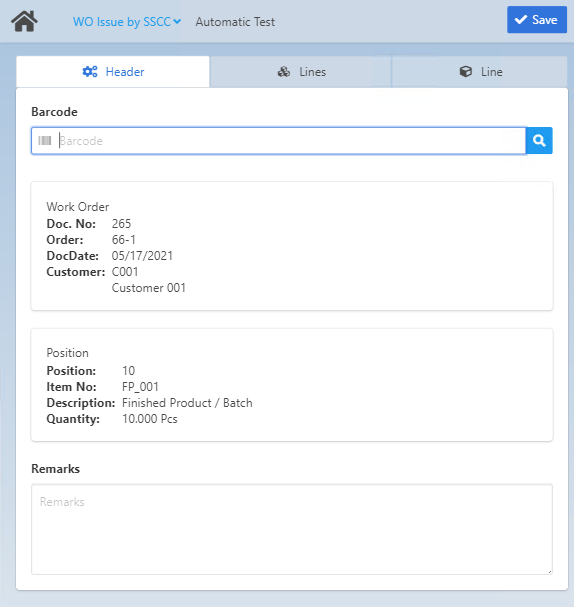
If Item Bar code or / and Batch Number or Serial Number is defined, the system searches for the related Bill of Materials position and inserts the item / batch item automatically with Open quantity up to available quantity in the batch.
If Batch Number / Serial number and SSCC are not defined, the system switches only to the "Line" tab with the defined item code.
Additional Bar codes:
With the following bar codes (simple EAN bar codes) the system automatically opens the "Line" tab for the relevant Bill of Materials position:
- The Item Bar code Number
- Bill of Materials Bar code
BoM
Bill of Materials position
Attention: The app only supports the issue process of further items that match the SSCC and the current Work Order BoM!
Limitation: If the WO position does not have any operations, the system does not load BoM information.
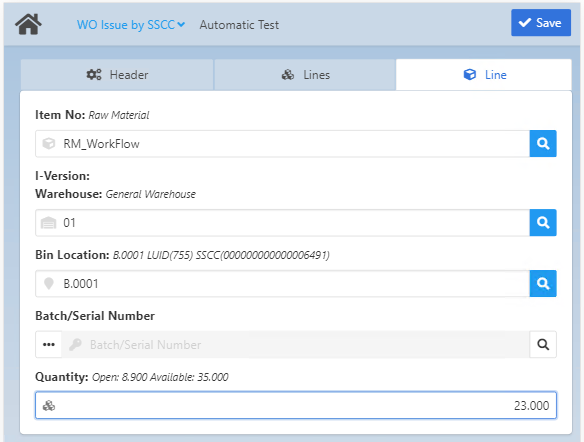
This tab opens automatically when you select an item in the Lines tab.
Field descriptions
Field
Description
Item No
Item number. The type is indicated in italics, for example "Raw Material"
I-Version
Item version
Warehouse
Select warehouse. The type is indicated in italics, for example "General Warehouse", "Allocation Warehouse", "SAP Bin Warehouse" etc.
Bin Location
When the Warehouse for the item has been selected, this field shows the exact bin
location (if available). In case of a batch/serial-managed item, this field is
automatically filled by the system after selecting the batch/serial in the Batch/Serial
Number field.
Mobile View:
The field is only visible if the field is required.
Desktop / Tablet View:
The field is non-editable if the field is not required.
Receipt Rules
Issue Rules
Limitation of Beas Bin Management:
- RFID definition is not supported
-Batch/Serial Extended selection: It is not possible to select multiple bin locations from an SAP Bin-managed warehouse or Beas bin-managed warehouse.
Limitation of SAP Bin Management:
- not all Bin Rules are supported in the current view
- Weight/Volume are currently not supported in the current view
- Batch/Serial Extended selection: It is not possible to select multiple bin locations from an SAP Bin-managed warehouse or Beas bin-managed warehouse.
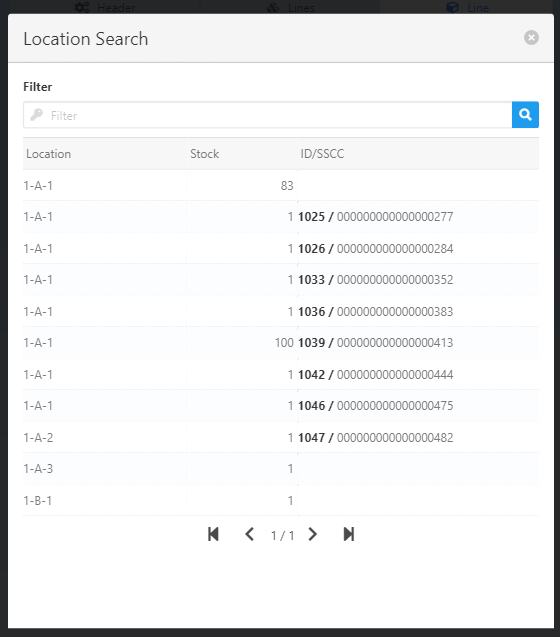
For normal items, select the Produmex WMS logistic unit of your choice in the "Location Search" screen that opens when you tap the magnifying glass icon.
Field
Description
Location
Bin Location ID
Stock
Available quantity in the bin location
ID/SSCC
Logistic Unit / SSCC information (WMS)
The logistic unit ID is displayed in front in bold figures. The second ID after the slash is the SSCC.
Batch/Serial Number
Batch/Serial number.
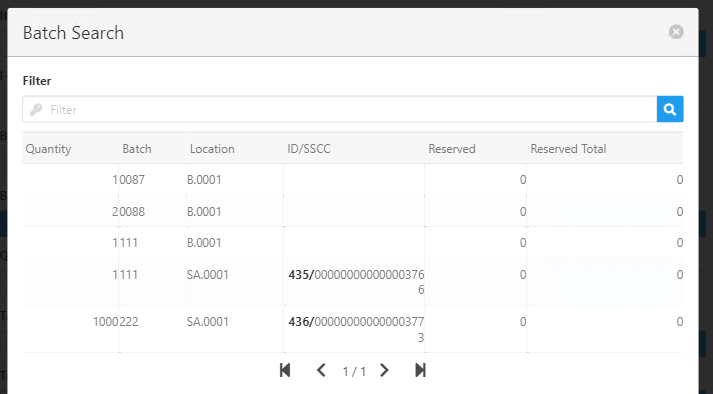
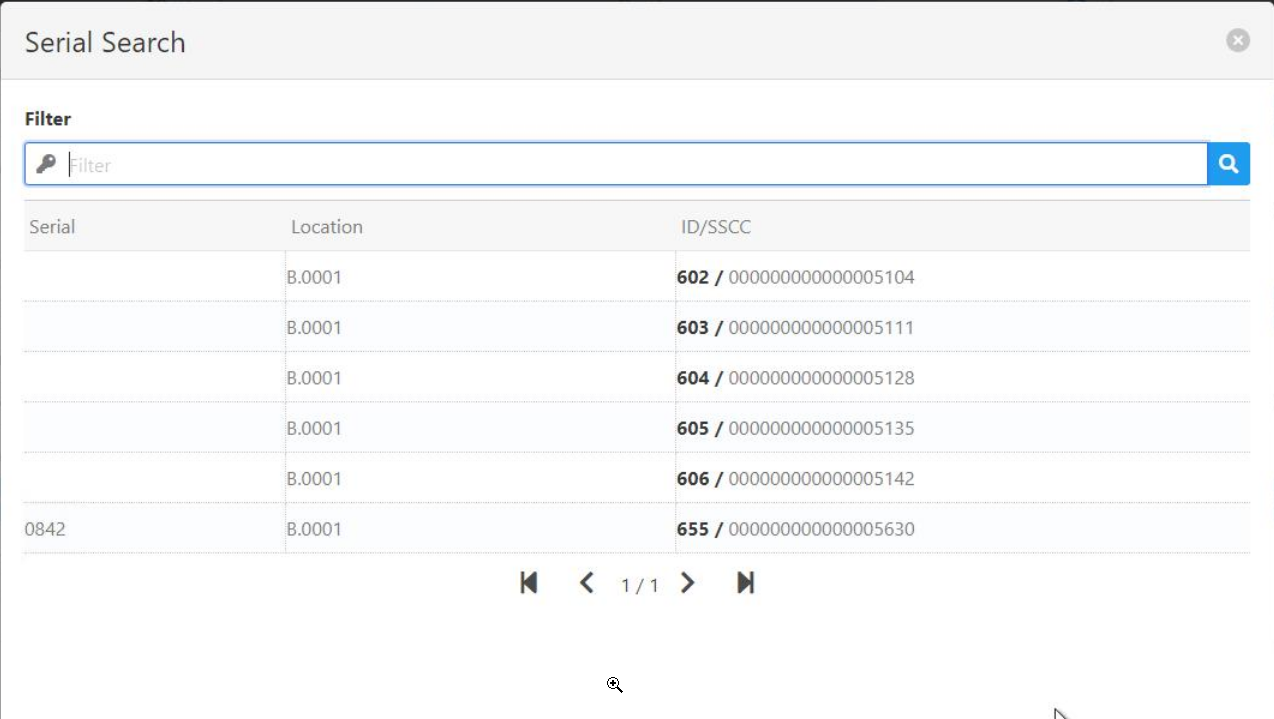
The magnifying glass opens the Batch/Serial search screen where you can perform further filtering for the name of the batch/serial. The screen shows the names and bin locations of the available batches/serials and displays the WMS LUID/SSCC information.
The "Batch Search" pop-up screen displays batches that have been reserved with a GREEN background.
Batches reserved for other Work orders appear at the end of the list in RED background.
Open the Batch/Serial Search window with the magnifying glass icon right of the field. After selecting a batch, the LUID and SSCC and the available quantity is displayed in the main app screen, right of the "Batch/Serial Number" field name.
Open: Always displays the remaining quantity in this BoM position that is not reserved.
Available: Always displays the available quantity for this SSCC for the selected batch or location.
Note: With the Open Quantity setting active, if you scan an SSCC to cover complete/partially all positions of a BoM with more than 1 position for the same item, the system will display incorrect value in Available.
After inserting all required information, click the Save button to finalize and create the Issue document.
Settings
Setting
Description
Quantities
PATH: Administration > System Initialization > Configuration wizard > Terminal and WEB APP > Beas Web Terminal 2.1 > "App Setup".


 License
 For WMS Customers:
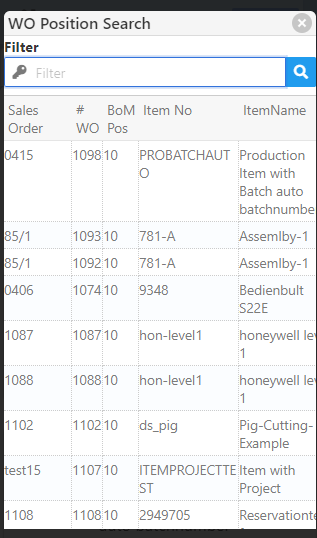
 to select a position from the list in the "WO Position Search" filter.