Beas Manufacturing › Master Data › Type of Resource › (open or create a type)
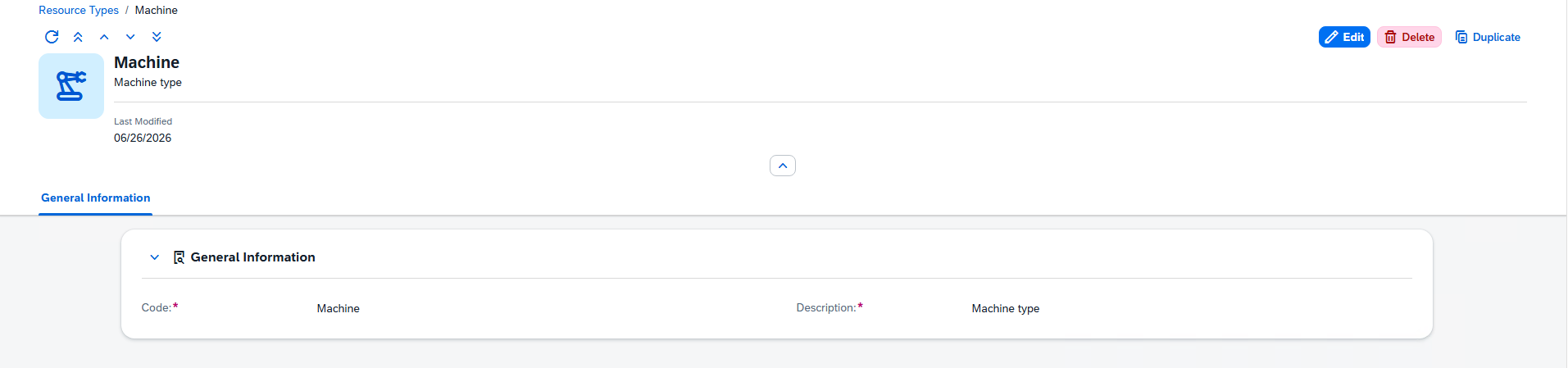
The Resource Types - Detail page is where you view, create and edit a single resource category. A type is deliberately simple — just a code and a description — and is referenced by resources to classify them.
On this page
1.Open the Type of Resource list (it has no launchpad tile — reach it from the Type of resource column of the Resources list or the URL views/resource-types).
2.Click an existing type to open it, or use Create to add a new one.
3.To change an existing type, press Edit first; new types open ready to fill in.
1.Direct URL: /views/resource-types/{ID}
The header shows the type's Code as its title and the Description as subtitle, along with the date it was last modified.
The only section on the page. Both fields are required.
Field |
Description |
|---|---|
Code |
Required. The type's unique code. It can be set when the type is created and is not changed afterwards. |
Description |
Required. A description of the type. |
Tip: Keep type codes short and meaningful — they are shown on every resource that uses the type and in the resource list's Resource Type column.