QC Blockage Reasons let you maintain the catalogue of reasons used to block QC orders, samples and measurements during quality control. A blockage reason records why an item is held during measured-value registration, and can optionally prevent the affected entry from being released until the issue is resolved. Each reason can be made available on three levels — the QC order, the sample, or the individual measurement position — so the same catalog serves every stage of the inspection process. This view is the Web Client equivalent of the desktop QC blockage reasons maintenance found under Production > Quality Control.
Accessing the view
QC Blockage Reasons lives in the Master Data area of the Beas Web Client and is opened from the side navigation.
Direct URL: views/qc-blockage-reasons
Header
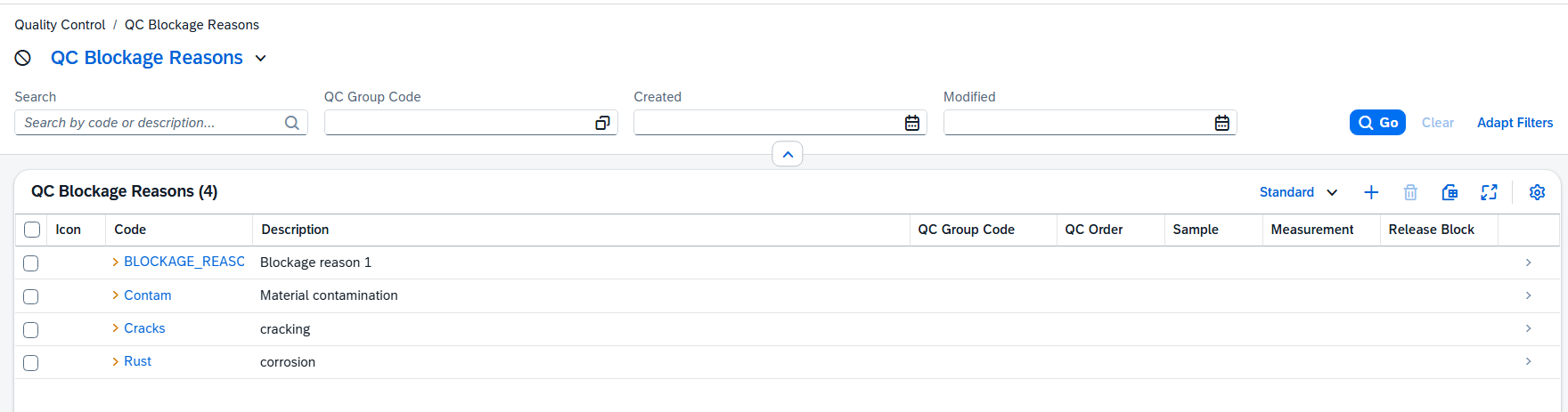
Filter the blockage reason list by selecting the values of the columns in the filter list.
Blockage reason list
The list The list shows every QC blockage reason. Use the search box to filter by code or description; when no reasons match, the grid shows "No records found". The columns below are shown by default.
Column |
Description |
|---|---|
Image |
The icon assigned to the reason, shown so it is easy to recognize in QC lists. |
Code |
The unique identifier of the blockage reason. |
Description |
The text of the reason. It is carried over to the QC order, sample or measurement when the reason is applied. |
QC Group Code |
An optional group. Within a QC inspection plan, only reasons from the same group can be selected together. |
QC Order |
Indicates the reason can be selected on a QC order. |
Sample |
Indicates the reason can be selected on a sample. |
Measurement |
Indicates the reason can be selected on a measurement position. |
Release Block |
Indicates that applying the reason blocks the release of the affected entry. |
Additional columns:
Color, Valid From, Valid To, Created, Created By, Modified and Modified By are available through column personalization and are hidden by default. See descriptions in QC Blockage Reason - Detail view.