Production > Quality Control > QC Orders
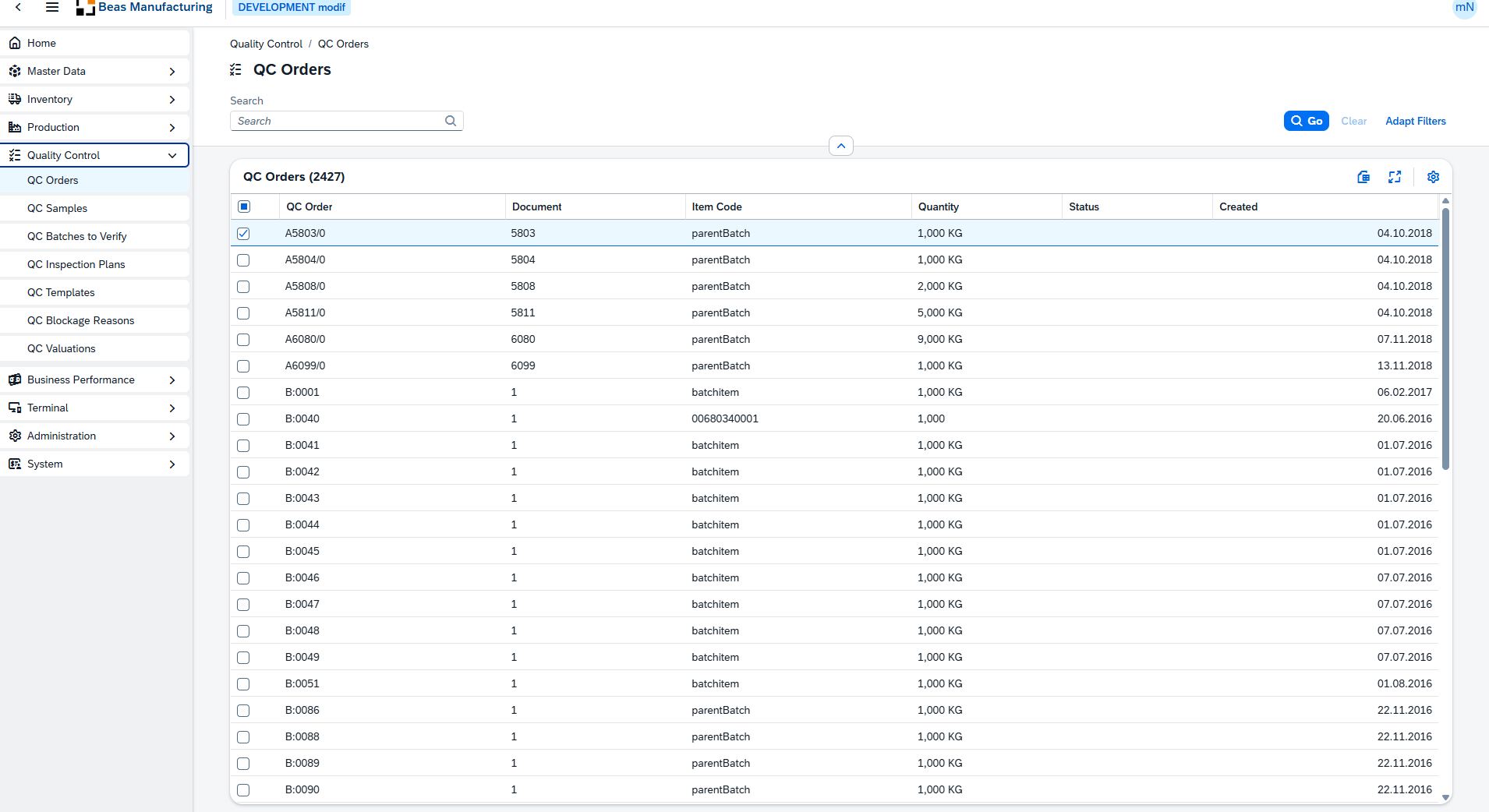
QC Orders is a read-only list of quality-control orders — the inspection procedures raised against items, batches and production documents. Each row is one QC order, identified by its charge ID and tied to an item, quantity and (where relevant) a batch, warehouse and business partner. From here you can search the catalog, narrow it with column filters and review the release and close status of every order. The list mirrors the legacy QC Orders screen (BEAS_QSFTHAUPT) and surfaces the full field set through the grid's column settings.
On this page
1.Open the SAP Web Client launchpad.
2.Click the QC Orders tile (Quality Control section).
3.Direct URL: /views/qc-orders.
Note: QC Orders is a read-only list. There is no detail page yet, so rows have no navigation arrow and there are no Create or Delete buttons — the view is for searching and reviewing quality-control orders.
Type in the Search box to narrow the list. The search matches the QC Order (charge ID), Item Code, Description and Batch Number. Every column also carries its own column filter. Filters are reflected in the page URL, so a filtered list can be shared as a link.
Two filters are shown in the bar by default, next to the search box:
Filter |
Description |
|---|---|
Created |
Date range on the QC order's created (produced) date. |
Closed |
Whether the order is Closed or Open. Defaults to All. |
More filters are available through Adapt Filters. These are Choose-From-List pickers (not free text) and accept multiple values:
Filter |
Description |
|---|---|
Item Code |
Restrict to one or more items. |
Business Partner |
Restrict to one or more business partners. |
Warehouse |
Restrict to one or more (original) warehouses. |
Inspection Order |
Restrict to one or more QC inspection plans. |
These columns are shown by default:
Column |
Description |
|---|---|
QC Order |
QC order number |
Document |
Document number of the QC order. |
Type |
QC order type. |
Item Code |
The item the order was raised for. |
Description |
Item / order description. |
Batch Number |
Batch the order applies to, when the item is batch-managed. |
Warehouse |
The original warehouse of the inspected stock. |
Quantity |
Quantity covered by the QC order, shown with its unit of measure. |
UoM |
Unit of measure for the quantity. |
Version |
Item / document version. |
Drawing Number |
Drawing number associated with the item. |
Info |
Free-text information on the order. |
Business Partner |
Business partner (card code) linked to the order. |
Branch |
Business place / branch the order belongs to. |
Belongs to |
Parent charge ID when the order is a sub-order of another. |
Correction Factor |
Correction factor applied to the order. |
Created |
Date the order was created (produced). |
Status |
Status flag of the order. |
Printed |
Whether the order has been printed. |
Material Transfer |
Whether a material transfer is associated with the order. |
Release |
Whether the order has been released. |
Release Date |
Date the order was released. |
Released By |
Person who released the order. |
Closed |
Whether the order is closed. |
Closed Date |
Date the order was closed. |
Closed By |
Person who closed the order. |
Note: The flag columns (Status, Printed, Material Transfer, Release, Closed) and Quantity are shown as read-only indicators and are not available as column filters.
Additional columns
The following columns are hidden by default — mostly technical references and origin links. Open the column settings to switch on the ones you need.
Column |
Description |
|---|---|
Node ID |
Internal node identifier. |
Doc Entry |
Internal document entry key. |
Inspection Order |
The QC inspection plan the order references. |
QC Item Number |
Line number within the QC inspection plan. |
Rule ID |
Identifier of the QC rule applied. |
Project |
Project the order is assigned to. |
Project UID |
Internal project key. |
Origin Type |
Object type of the source document (base type). |
Origin Number |
Doc entry of the source document. |
Base Order |
The originating order. |
Position |
Line number in the source document. |
Base Line Number 2 |
Secondary line number in the source document. |
Base Base Type |
Object type of the source document's own origin. |
Production Doc Entry |
Doc entry of the linked production order. |
Production Position ID |
Position ID within the production order. |
Production Pos ID |
Secondary production position identifier. |
Production Measurement |
Measurement value from production. |
Status Info |
Additional status text. |
Release Person ID |
Internal ID of the person who released the order. |
Release Station ID |
Station from which the order was released. |
Person ID |
Internal ID of the person linked to the order. |
Internal Key |
Internal record key. |
Valuation |
Valuation result of the order. |
Valuation Info |
Additional valuation text. |
Blockage Reason ID |
Internal ID of the blockage reason. |
Blockage Reason |
Reason the order (or stock) is blocked. |
Type Value |
Value associated with the order type. |
Station |
Station linked to the order. |
QC Info |
Additional quality-control information. |
Image 1 / Image 2 / Image 3 |
File paths of images attached to the order. |
Version Info |
Additional version text. |
Beas Version |
Beas version stamp on the record. |
Branch ID |
Internal branch identifier. |
Tip: Any user-defined fields (UDF) configured for QC orders can also be switched on from the same column settings.