Inside an item's Bill of Materials, view every detail of a material or operation in a read-only Object Page layout. Navigate between positions using arrow controls, and find all related information grouped in clearly labeled sections and tabs.
Accessing the view:
Open the Bill of Materials from SAP Web Client > Advanced Production > Bill of Materials > Open a BoM position
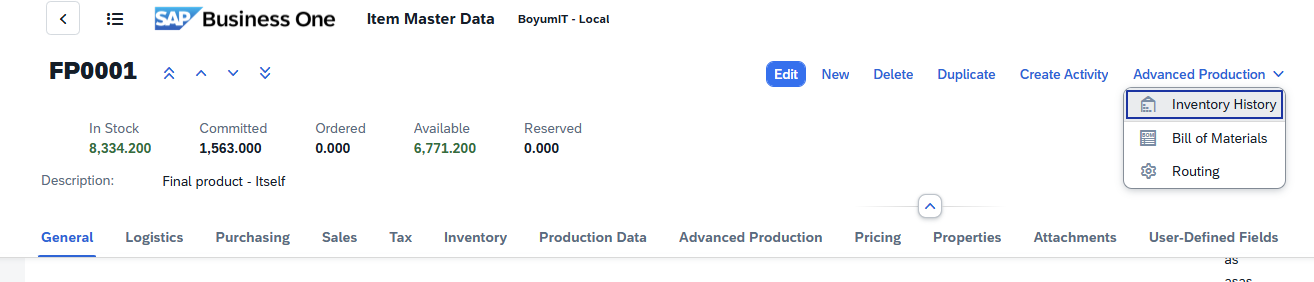
Direct URL: /views/items/{code}/bill-of-materials/{positionID}
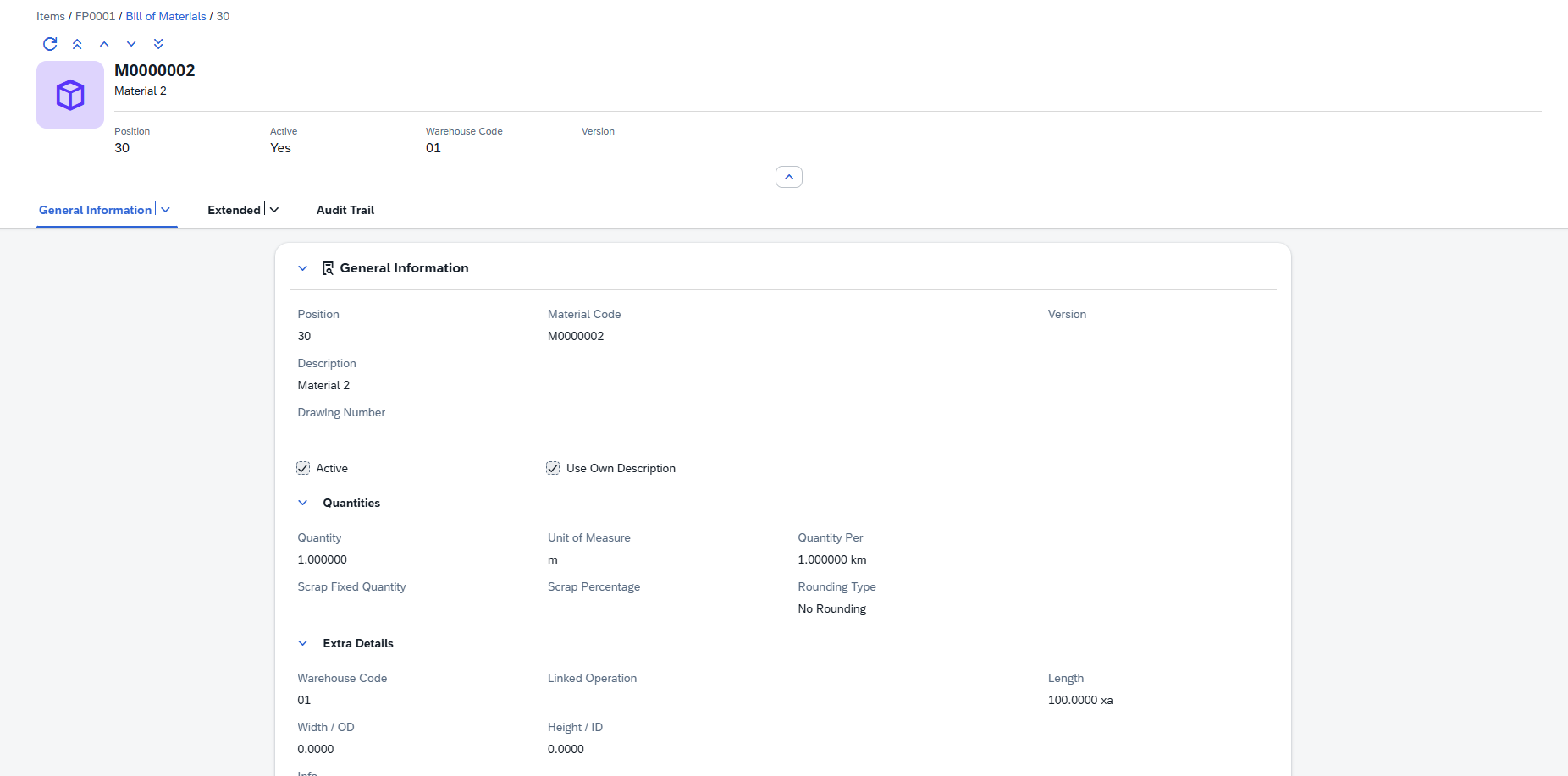
The Material Detail View is a read-only Object Page screen that displays all information about a single BoM position. It follows the SAP Fiori Object Page pattern: a header area with key facets at the top, followed by form sections organized into clearly labeled tabs.
The detail views has the following layout:
•Header Area — Shows an avatar (icon or image), the position's title and subtitle, and quick-reference facets (key facts displayed as labeled values).
•Form Sections — All fields are grouped into collapsible sections such as General Information, Quantities, Extended, Custom Fields, and Audit Trail.
•Navigation Arrows — Move between positions (First, Previous, Next, Last) without returning to the list view.
Read-Only Views: These detail views display data in read-only mode. They are designed to give you quick, organized access to all details of a material or operation without accidentally modifying data.

|
The following controls are available (where applicable) with the Beas Web Client.
Navigation bar When viewing a material or operation detail page, you can navigate between positions without returning to the list view. A navigation toolbar with four arrow buttons is available at the top of the page:
A Refresh The navigation order follows the position ordering from the list view (respecting any active sort). Navigating between positions updates the URL, breadcrumb, header, and all form sections in place. Navigation wraps around: pressing Next on the last position moves to the first, and vice versa. Quick Review Workflow: Use the navigation arrows to quickly review all materials or operations in sequence. This is particularly useful during BoM audits or routing reviews, where you need to inspect each position without repeatedly returning to the list.
Sorting, freezing usability
Filter window
Search field: Search by the indicated prompts or click the browse button
Grid Tool bar The grid toolbar above the results table provides several actions for working with the data:
You can also click any column header directly to sort by that column, or drag a column header to the grouping area to group by that column.
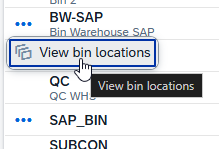
Action Buttons Action buttons appear only when applicable for a column. You can access them by clicking on the three dots left of the relevant field:
|


 button is also available to reload the current position's data from the server without navigating away.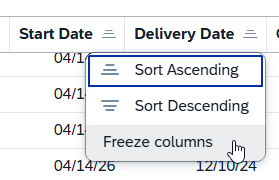

 where applicable for multiple selection.


The Material Detail View displays all information about a single material position within an item's Bill of Materials. It follows the SAP Fiori Object Page pattern with a header area and multiple form sections organized into clearly labeled groups. The header provides an at-a-glance summary of the material position: •Avatar — Shows the assigned icon (SAP icon, Beas icon, or custom image). Falls back to a default inventory icon if none is assigned. •Title — The Material Code (e.g., M0000001). •Subtitle — The material description (e.g., "Material 1"). The header also displays key facets for quick reference:
|
The General Information tab is the default view when opening a material detail. It contains three groups of fields:
Quantity fields define how much of the material is required and how scrap is calculated:
|
The Extended tab contains validity settings and additional configuration options.
|
Displays up to 15 User-Defined Fields (UDF 1 through UDF 15). These are general-purpose text fields for storing additional business-specific information. Their labels and visibility are managed through the UDF Configuration screen.
Four read-only fields automatically maintained by the system:
Field |
Description |
|---|---|
Created |
Date and time when this BoM position was created. |
Created By |
User name of the person who created the position. |
Modified |
Date and time of the most recent modification. |
Modified By |
User name of the person who last saved changes. |
The breadcrumb trail at the top of the page shows your current location within the navigation hierarchy. It provides clickable links to navigate back to any parent level:
Items › {ItemCode} › Bill of Materials › {Position}
Example: Items › FP0001 › Bill of Materials › 20
Items › {ItemCode} › Operations › {Position}
Example: Items › FP0001 › Operations › 12
Clicking Items returns to the Items list. Clicking the item code returns to that item's detail view. Clicking Bill of Materials or Operations returns to the respective list/grid view. The last breadcrumb segment (the position number) represents the current page and is not clickable.