|
The Operation detail form is where you define a single step of an item's routing — one manufacturing operation such as a machine or work-center task. Here you set which operation it is, the resource that performs it, how long it takes, any subcontracting (external) details, and the tools, utilities and additional resources it uses. The same form is used both to create a new operation and to edit an existing one.
Accessing the view
1.Click on an Operation entry from SAP Web Client > Advanced Production > Routing (see Operations list.)
2.Select an Operation in the list.
3.Direct URL: /views/items/{ID}/routing/{positionID}
See General screen Controls

Header

The header provides a quick summary of the operation:
•Avatar — A factory icon representing the operation.
•Title — The Operation Code (e.g., OP0001).
•Subtitle — The operation description (e.g., "Cutting operation")
Key facets displayed in the header:
Facet
|
Description
|
Position
|
The position number in the routing (e.g., 12).
|
Type
|
The operation type (e.g., TEST, STANDARD).
|
Resource
|
The primary resource assigned (e.g., E0001).
|
Hide this part of the view by collapsing it in the middle just above the tabs.
Edit: Open the current Detail form for editing and then Save your changes on the bottom right side of the view
Delete: Delete the current routing position
The General Information tab is the default view and contains the core operation definition.
General Fields
Field
|
Description
|
Position
|
Required. The position (sequence) of the operation within the routing.
|
Type
|
Required. The operation type. The type controls which extra groups and fields appear (for example, whether the operation is external/subcontracted or produces costs).
|
Operation Code
|
Required. The operation from the operation catalog. Selecting one fills in its standard description, resource and times.
|
Resource
|
Required. The resource (work center / machine) that carries out the operation.
|
Description
|
Free description of the operation.
|
Instructions
|
Longer free text with working instructions for the operation.
|
Clock Mandatory
|
Marks the operation as one that must be clocked (time recorded).
|
External Operation (Subcontracting)
This group is only visible when the operation type has the "External" flag enabled, indicating the operation is performed by an outside vendor. It is split into two groups: Supplier and Pricing.
Supplier
Field
|
Description
|
Supplier
|
The vendor that performs the external operation.
|
Item
|
The service / item code purchased for the external operation.
|
Pricing
Field
|
Description
|
Price per unit
|
The agreed price per unit.
|
Price List Consider
|
When ticked, the price is taken from the item's price list instead of the value typed here.
|
Price factor
|
Quantity the price refers to. Shown only when Price List Consider is off.
|
Minimum price
|
Lowest price charged for the service.
|
Currency
|
Currency of the prices above.
|
Shipping price
|
Transport / shipping cost.
|
Shipment lot size
|
Lot size the shipping price refers to.
|
Purchase order on Warehouse
|
Warehouse used for the purchase order created for the external operation.
|
QC Inspection Plan
|
Quality Inspection plan chosen for this routing.
|
Cost Element
|
Cost element chosen for this routing.
|
Conditional Visibility — Operation Type Flags Several sections in the operation detail view are shown or hidden based on flags defined on the operation type. When you see a section that is not displayed, it means the current operation's type does not have the corresponding flag enabled:
•External (ExternalId = 1) — Shows the External Operation / Subcontracting fields.
•Without Time — Hides the Durations section and the Tools & Utilities / Resources tabs.
•Create Costs — Shows the Costs section.
•Milestone — Shows the Milestone field in the Costs section.
Time field labels may be customized per system configuration via the Time Operators table. The default labels are shown below:
Durations
Conditional Visibility: The Durations section is only visible when the operation type does not have the "Without Time" flag enabled. Operations configured as time-less (e.g., milestone-only) will hide this entire section.
Field
|
Description
|
Setup Time Capacity
|
Main setup/preparation time before production begins. (min)
|
Setup Time 2
|
Secondary setup time (capacity-related). (min)
|
Processing Time
|
Machine and labor processing/cycle time per unit or batch. (min)
|
Rework
|
Rework or finishing time required after main processing. (min)
|
Quality Control
|
Additional time for quality control or helper tasks. (min)
|
Cost element (Setup time for Precalculation)
|
Use the  icon to open up the Time Type screen to select the relevant type: Labor, Machine or Service. icon to open up the Time Type screen to select the relevant type: Labor, Machine or Service.
|
Cost element (Processing)
|
Use the icon to open up the Time Type screen to select the relevant type: Labor, Machine or Service.
|
Cost element (Rework)
|
Use the icon to open up the Time Type screen to select the relevant type: Labor, Machine or Service.
|
Cost element (Quality control)
|
Use the icon to open up the Time Type screen to select the relevant type: Labor, Machine or Service.
|
Parameters
Field
|
Description
|
Use Factor
|
If several parts are produced with only one work step, the use factor is higher than 1.
|
Work Steps
|
The number of steps needed to finish one part.
|
Idle Time
|
Time (in hours) in which the semi-finished part must not be further processed, e.g. drying time, cooling etc.
|
Overlap Limit
|
Controls overlap with subsequent operations: None or Parallel.
|
Scrap Factor
|
The percentage of scrap. See Beas Online Help > Extended routing settings.
|
QC Inspection Plan
|
Link to a quality control inspection plan.
|
Number of Payslips
|
Information field – if applicable, for information on number or pay slip printouts.
|
|
Field
|
Description
|
Quantity per Time
|
The assembly quantity that the time refers to. Example: Pcs / min
|
Factor per Production UoM
|
The conversion factor between time receipt unit and the production unit of the Assembly.
|
Resource Allocation
|
How the operation is allocated across resources (Simple, Quantity or Percent), with the matching allocation quantity.
|
Allocation Quantity
|
The allocation amount for multi-machine setups.
|
Operation Active
|
When check mark is enabled, operation is active. A condition that decides when the operation applies (always, or only when the quantity is greater than, less than, or between given values).
|
|
|
Area of Validity
Field
|
Description
|
Valid from - To
|
Start date from which this operation is valid -- End date after which this operation is no longer valid.
|
I-Version From-To
|
Starting item version for which this operation applies. -- Ending item version.
|
I-Version Range
|
A version range expression.
|
Variants
Activate the Variants in the table by ticking the check boxes on the right for this routing position.
Other
Field
|
Description
|
Scrap of Material %
|
Scrap percentage
|
Confirm Factor
|
Confirm Factor
|
Confirm in Units
|
Determines in which UoM quantities are reported for this operation sequence via the terminal.
|
Belongs to Master Operation
|
Select the Master position (as opposed to slave) from the drop-down.
|
Image
|
Icon/image for visual identification in lists and headers. Search and elect one from the available SAP, Beas or Custom icons in the opening screen.
|
Color
|
Define a color for visual distinction.
|
Synchronization
|
At import or inserting a routing position, the routing is always deleted completely and re-imported. Select from: Yes, No and No delete
|
Invisible in precalculation
|
When check mark is active, operation is hidden in precalculation reports.
|
Login Block
|
When check mark is active, login/booking against this operation is not possible.
|
Invisible in post calculation
|
When check mark is active, operation is hidden in post-calculation reports.
|
Value only in precalculation
|
When check mark active, the cost value (not times) is only shown in precalculation.
|
Block closing with less quantity
|
When check mark is active, closing the operation is not possible if confirmed quantity is less than planned.
|
Resource optimization
|
When check mark is active, if the stored resource is part of a resource group, at scheduling, the resource is automatically selected from the group with the shorted lead time.
|
|
The Tools & Utilities tab in the Operation Detail View displays the tools and utility items associated with the operation. Two sub-views are available, selectable via a segmented button (toggle) at the top of the tab:
Conditional Visibility: This tab is only visible when the operation type does not have the "Without Time" flag enabled.

Tool View
Shows all tools assigned to this operation in a read-only grid:
Column
|
Description
|
Position
|
Sort position of the tool.
|
Active
|
Whether the tool assignment is active.
|
Tool
|
Required. The tool code identifier. A selection dialog lists the available tools; picking one fills in its description.
|
Description
|
Description of the tool. Read-only information - taken from the selected tool.
|
Setup Time
|
Setup time required for this tool.
|
Processing Time
|
Machine and labor time for this tool.
|
Info
|
Additional information about the tool assignment.
|
Utilities View
Shows all utility items assigned to this operation. Utilities have a simpler structure than tools (no time fields):
Column
|
Description
|
Position
|
Sort position of the utility item.
|
Tool
|
Required. The utility item code. A selection dialog lists the available tools; picking one fills in its description.
|
Description
|
Description of the utility.
|
Info
|
Additional information.
|
Quantity
|
Quantity of the utility used.
|
Create Tool/Utility
Click "+" in the Tool bar to create a tool/utility in the opening "Create - Tool/Utility" screen by adding its Position number, selecting a Tool/Utility (Mandatory) from the selection dialog, adding a Description and marking it Active if applicable.
|
The Resources tab in the Operation Detail View shows alternative and parallel resource assignments. Two sub-views are available via a segmented button (toggle):
Conditional Visibility: This tab is only visible when the operation type does not have the "Without Time" flag enabled.
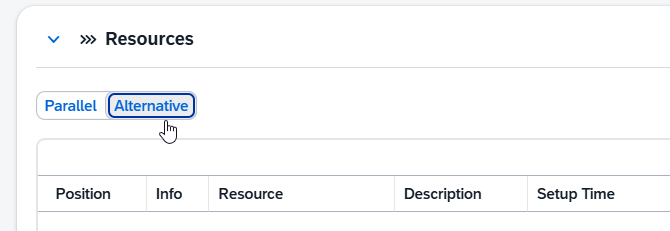
Parallel Resources
Lists resources that run simultaneously during this operation:
Field
|
Description
|
Position
|
The sort position of the parallel resource in the list.
|
Resource
|
Required. The resource code, picked from the resource selection dialog; selecting one fills in its description.
|
Description
|
Read-only — taken from the selected resource.
|
Setup Time
|
Setup time for this parallel resource.
|
Processing Time
|
Machine / labor time for this parallel resource.
|
Use Factor
|
Yield / use factor.
|
Work Steps
|
Number of work steps.
|
Quantity per Time
|
Output quantity per time unit.
|
Time Unit
|
Time unit the quantity-per-time refers to (Minute or Hour).
|
Time reservation %
|
Share of time reserved for this resource.
|
Cost Element
|
Cost element / time type the resource is posted to.
|
Active
|
Whether the parallel-resource assignment is active.
|
Alternative
|
Flags the parallel resource as one that can also act as an alternative.
|
Cost not valuate
|
Excludes the resource's own price from the valuation.
|
Info
|
Free additional text.
|
Alternative Resources
Lists resources that can be used as replacements for the primary resource:
Field
|
Description
|
Position
|
The sort position of the alternative resource in the list.
|
Resource
|
Required. The resource code, picked from the resource selection dialog; selecting one fills in its description.
|
Description
|
Read-only — taken from the selected resource.
|
Setup Time
|
Setup time for this alternative resource.
|
Processing Time
|
Machine / labor time for this alternative resource.
|
Use Factor
|
Yield / use factor.
|
Work Steps
|
Number of work steps.
|
Quantity per Time
|
Output quantity per time unit.
|
Time Unit
|
Time unit the quantity-per-time refers to (Minute or Hour).
|
Cost Element
|
Cost element / time type the resource is posted to.
|
Scrap of material %
|
Scrap percentage on the material for this resource.
|
Activate Optimization
|
Includes the resource in resource-optimization scheduling.
|
Allow Manual Change
|
Whether the resource may be changed manually during production.
|
Info
|
Free additional text.
|
Create Parallel / Alternative
Click "+" in the Tool bar to create a parallel or alternative resource in the opening "Create - Parallel/Alternative" screen by adding its Position number, selecting a Resource (Mandatory) from the selection dialog and adding any more details if applicable.
|
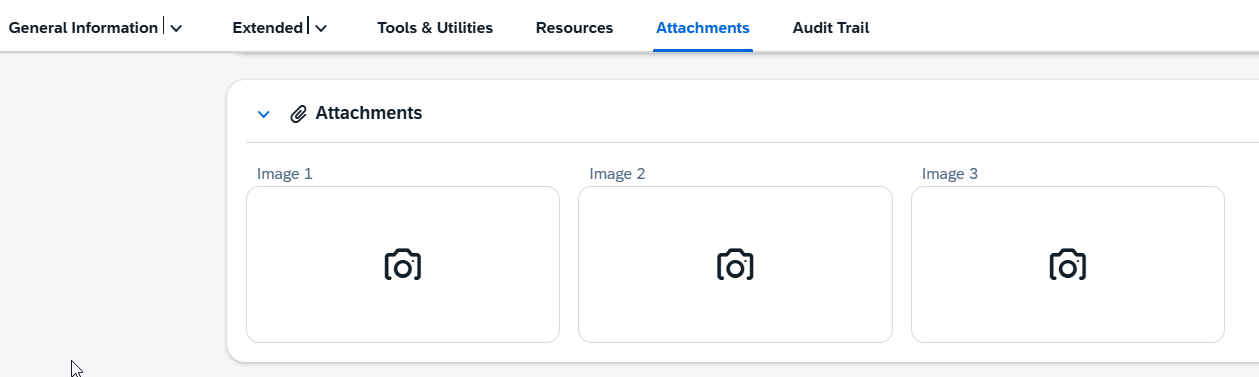
Up to three images can be attached to an operation for visual reference (photographs of the work step, reference drawings, or other documentation):
|
Help URL: https://help.beascloud.com/beas202606/index.html?operations---detail-view.html
|
