Routing shows all the manufacturing operations that make up an item — the ordered work steps needed to produce it, such as cutting, assembly or finishing. Each row is one operation, with the resource that performs it and its setup and processing times. From here you can review the list, search and filter it, open any operation for detail, add a new operation, or remove operations you no longer need.
Accessing the view:
Open from SAP Web Client > Advanced Production > Routing
Direct URL: /views/items/[ID]/routing.
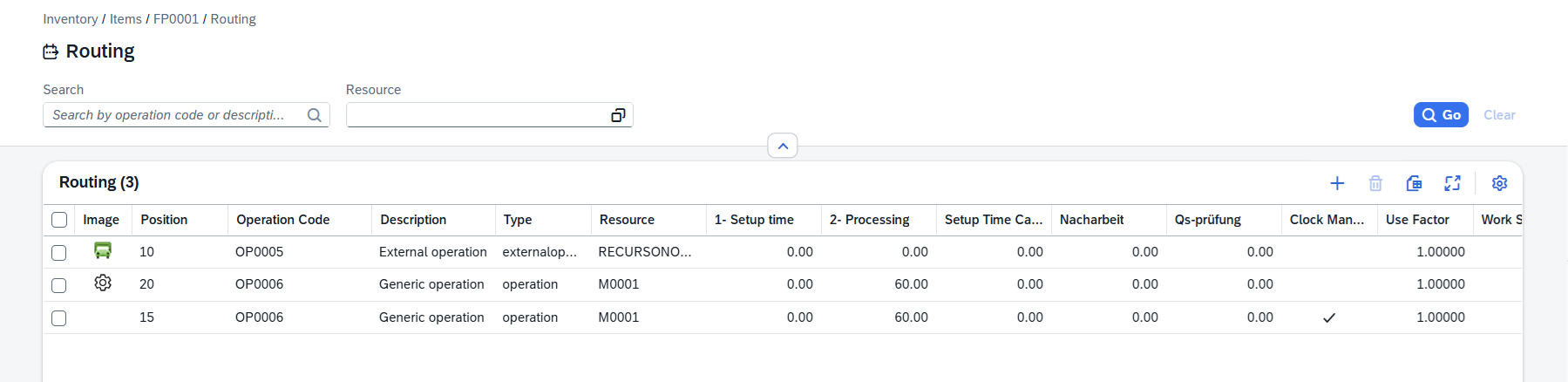
Header area
Use the search box and the filter at the top of the list to narrow what is shown.
Control |
Description |
|---|---|
Search |
Free text. Search by operation position, operation code and description. |
Resource |
Limit the list to a single resource (the machine or work center that performs the operation). Click the browse button The Resource list can be filtered dynamically, and the selected filters will appear in the header area of the screen. |
 to select a resource from the opening table. Then click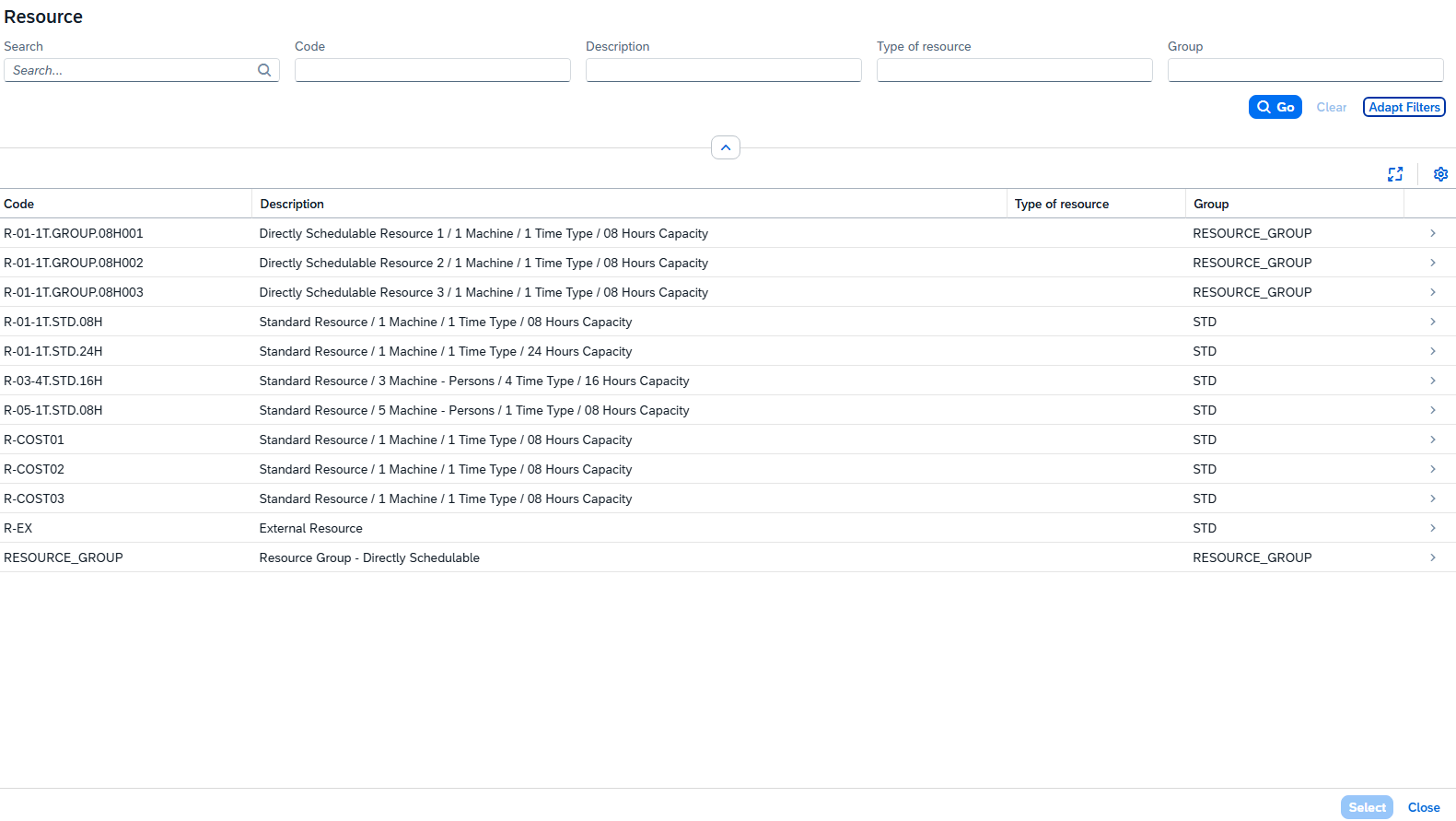
Default Columns
Column |
Description |
|---|---|
Image |
A small picture or icon representing the operation, when one is defined. |
Position |
The operation's position in the routing — its place in the sequence of work steps. |
Position ID |
Operation position ID |
Operation Code |
The code of the operation as defined in the operation catalog. |
Description |
The long description of the operation, e.g. operation with quality control, standard processing etc. |
Type |
The operation type, e.g. "External", "Internal" operation . |
Resource |
The resource (machine or work center) that carries out the operation. |
Setup Time for Precalculation |
Time needed to set up before the operation can run. (The exact label can vary — it follows your time-type configuration.) |
Processing |
Time needed to actually run the operation. (Label can also vary by configuration.) |
Additional Columns

|
Customer-defined fields (UDFs) configured for the Bill of Materials Header are appended automatically. Hidden columns are available in tool bar settings ( )
)
See Beas Online Help > General and Extended Operation field descriptions as description of hidden columns.